> ## Documentation Index
> Fetch the complete documentation index at: https://docs.sandywp.com/llms.txt
> Use this file to discover all available pages before exploring further.
# Clone a site
> Copy a WordPress site you control into a new SandyWP sandbox with the SandyWP Cloner plugin.
Use the SandyWP Cloner plugin to copy a live WordPress site you control into a new sandbox. The plugin packages and uploads the site, then SandyWP restores it for you.
 ## Before you start
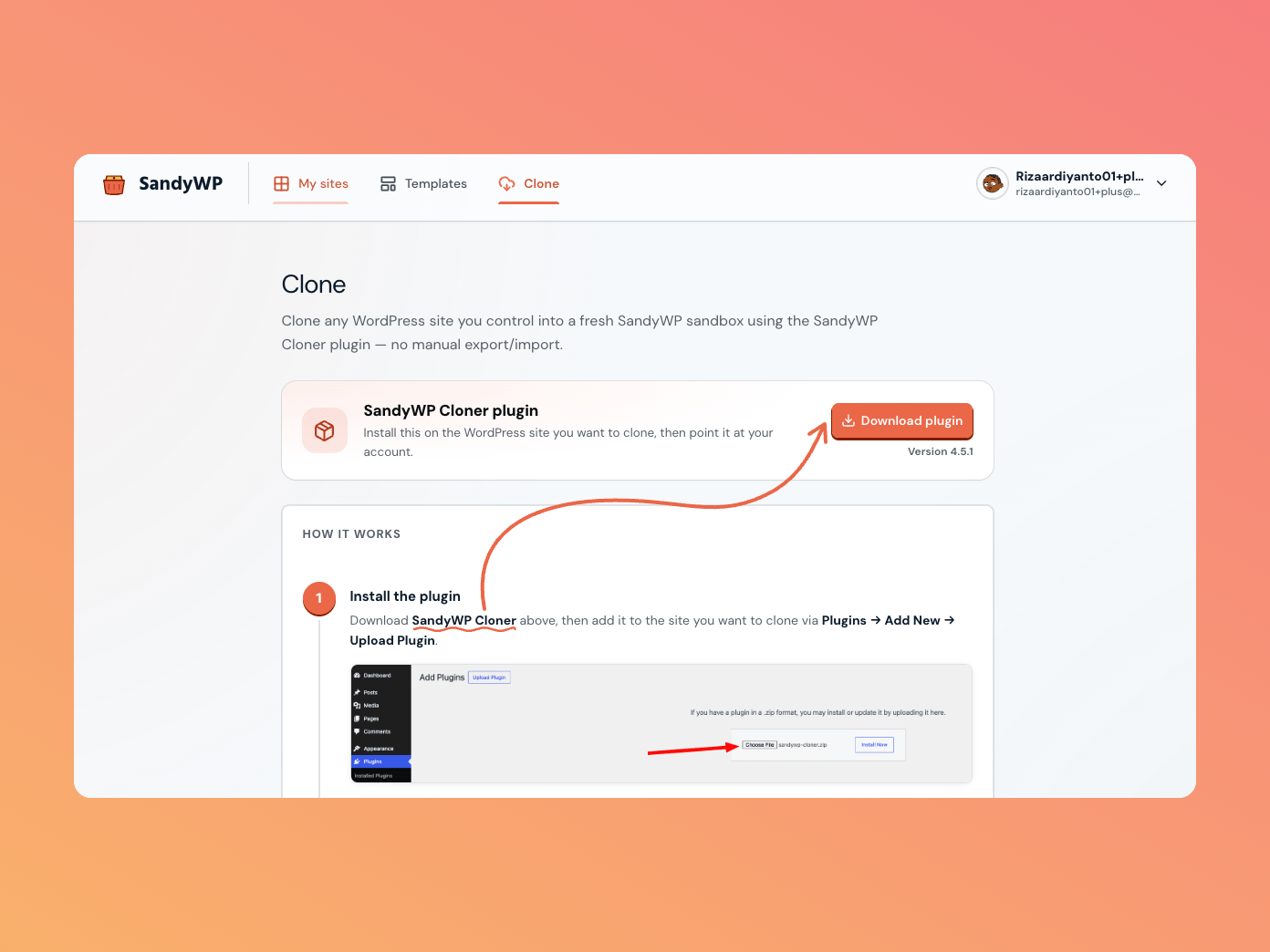
You need a SandyWP account and administrator access to the source WordPress site. Open **Clone** in the SandyWP dashboard to find the plugin link and watch imports as they arrive.
## Clone a site
Install and activate [SandyWP Cloner](https://wordpress.org/plugins/sandywp-cloner/) on the WordPress site you want to copy.
In the source site's **WP-Admin → Tools → SandyWP Cloner**, select **Connect to SandyWP** and approve the browser flow. An API token is available only as a fallback.
Select **Clone to SandyWP**. The plugin packages and uploads the site to your account.
Follow the import in the dashboard, then select **Open site** once its status is ready.
## Import states
| State | Meaning |
| ------------------ | -------------------------------------------------------------- |
| Waiting for upload | The import row exists and the plugin is preparing the archive. |
| Uploading | The archive is transferring. |
| Uploaded | The archive arrived and is queued to restore. |
| Restoring | SandyWP is building the sandbox from the archive. |
| Ready | The copied site is available as a normal sandbox. |
| Failed | The import did not finish; the row shows a reason. |
The resulting sandbox has the usual tools and lifecycle. Deleting an import history row does not delete the resulting sandbox.
Clone archives can be up to 24 GB. They count toward your active-sandbox and storage limits, and you can cancel an import while it is uploading or restoring.
Use [Templates](/guides/templates) to keep a reusable snapshot after a successful clone, or [Open wp-admin](/guides/open-wp-admin) to enter the new site.
## Before you start
You need a SandyWP account and administrator access to the source WordPress site. Open **Clone** in the SandyWP dashboard to find the plugin link and watch imports as they arrive.
## Clone a site
Install and activate [SandyWP Cloner](https://wordpress.org/plugins/sandywp-cloner/) on the WordPress site you want to copy.
In the source site's **WP-Admin → Tools → SandyWP Cloner**, select **Connect to SandyWP** and approve the browser flow. An API token is available only as a fallback.
Select **Clone to SandyWP**. The plugin packages and uploads the site to your account.
Follow the import in the dashboard, then select **Open site** once its status is ready.
## Import states
| State | Meaning |
| ------------------ | -------------------------------------------------------------- |
| Waiting for upload | The import row exists and the plugin is preparing the archive. |
| Uploading | The archive is transferring. |
| Uploaded | The archive arrived and is queued to restore. |
| Restoring | SandyWP is building the sandbox from the archive. |
| Ready | The copied site is available as a normal sandbox. |
| Failed | The import did not finish; the row shows a reason. |
The resulting sandbox has the usual tools and lifecycle. Deleting an import history row does not delete the resulting sandbox.
Clone archives can be up to 24 GB. They count toward your active-sandbox and storage limits, and you can cancel an import while it is uploading or restoring.
Use [Templates](/guides/templates) to keep a reusable snapshot after a successful clone, or [Open wp-admin](/guides/open-wp-admin) to enter the new site.