> ## Documentation Index
> Fetch the complete documentation index at: https://docs.sandywp.com/llms.txt
> Use this file to discover all available pages before exploring further.
# Git deployment
> Deploy a plugin, theme, or wp-content folder from a Git repository into a SandyWP sandbox.
Connect a repository to deploy a plugin, theme, or `wp-content` folder into a sandbox. You can deploy manually or on every push to a selected branch.
 ## Connect a repository
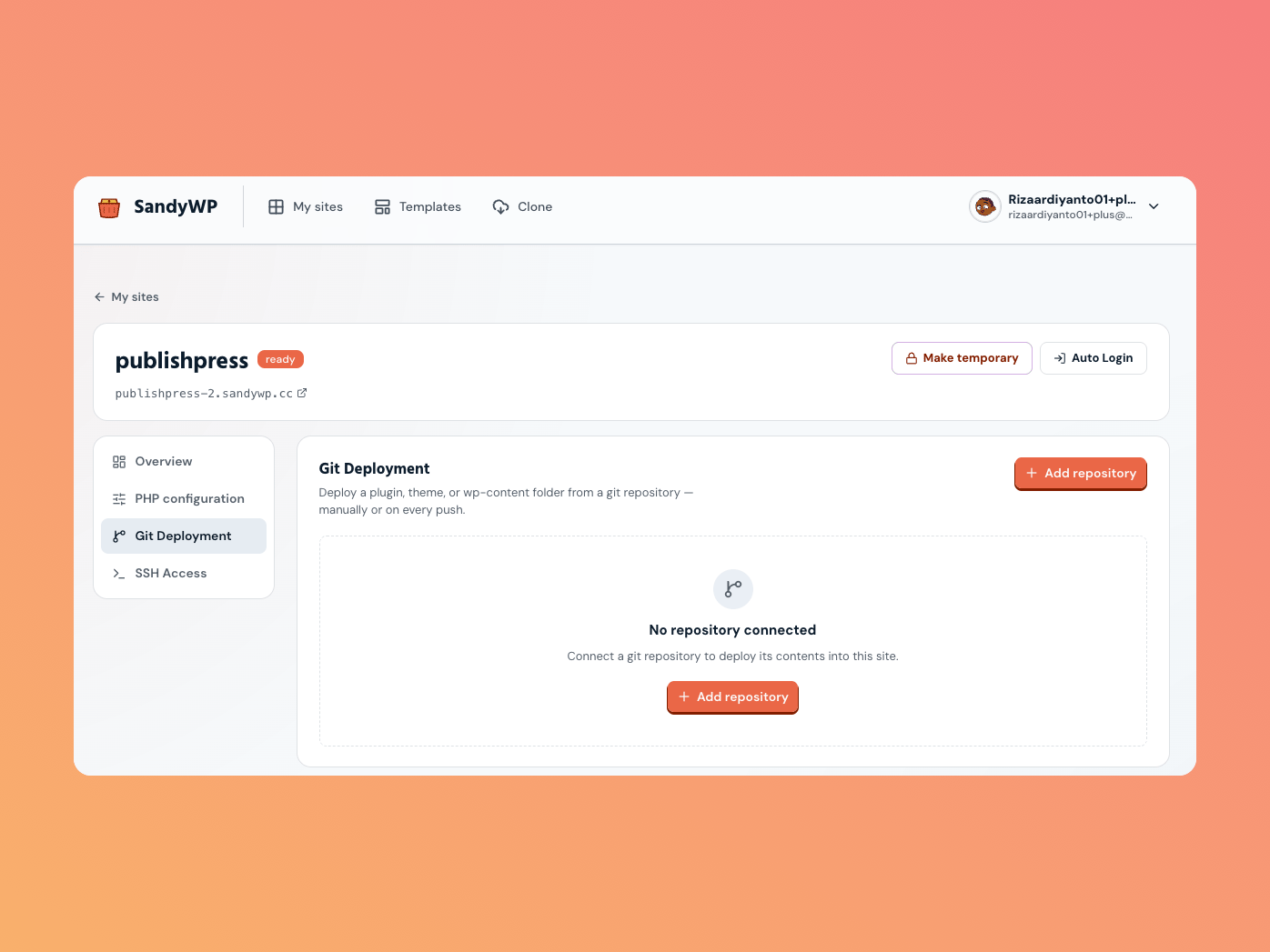
Open **Site settings**, select **Git Deployment**, and choose **Add repository**.
## Connect a repository
Open **Site settings**, select **Git Deployment**, and choose **Add repository**.
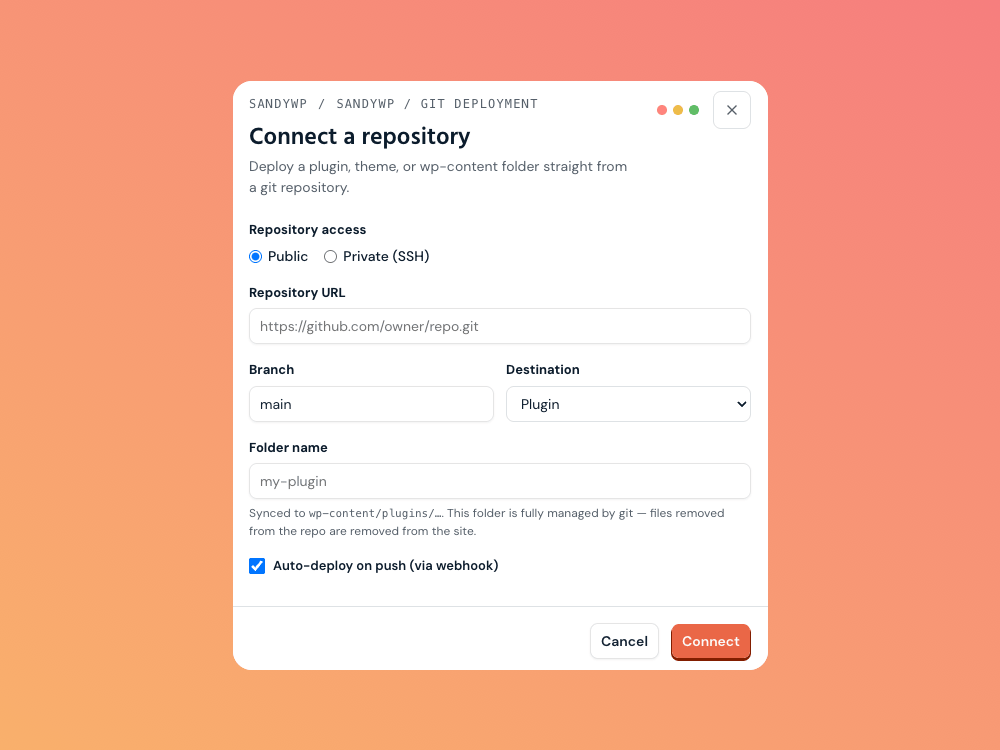 | Field | What to choose |
| ------------------- | --------------------------------------------------------------------------------- |
| Access | **Public** for an HTTPS repository URL, or **Private (SSH)** when it needs a key. |
| Repository URL | An HTTPS URL for public repositories, or an SSH URL for private repositories. |
| Branch | The branch to deploy; it defaults to `main`. |
| Destination | Plugin, Theme, or `wp-content` folder. |
| Folder name | The target folder under the selected destination. |
| Auto-deploy on push | Deploy the configured branch from a webhook. |
The destination decides where files land: `wp-content/plugins/`, `wp-content/themes/`, or `wp-content/`. That destination folder is fully managed by Git, so files removed from the repository are removed on the next deploy.
## Private repositories
SandyWP generates a read-only deploy key when you connect a private repository. Add its public key to the repository host as a deploy key, then use the connection card to copy it again when needed.
## Deploy automatically or manually
For auto-deploy, add the supplied webhook URL to your repository host with JSON content and push events. Every push to the selected branch triggers a deployment.
Select **Deploy now** to pull and sync the latest commit manually. The repository card shows the last deployed commit and deployment history.
Disconnecting removes only the repository connection; files already deployed stay in the sandbox. Use [GitHub PR previews](/guides/github) for an ephemeral, exact-commit pull-request environment instead.
| Field | What to choose |
| ------------------- | --------------------------------------------------------------------------------- |
| Access | **Public** for an HTTPS repository URL, or **Private (SSH)** when it needs a key. |
| Repository URL | An HTTPS URL for public repositories, or an SSH URL for private repositories. |
| Branch | The branch to deploy; it defaults to `main`. |
| Destination | Plugin, Theme, or `wp-content` folder. |
| Folder name | The target folder under the selected destination. |
| Auto-deploy on push | Deploy the configured branch from a webhook. |
The destination decides where files land: `wp-content/plugins/`, `wp-content/themes/`, or `wp-content/`. That destination folder is fully managed by Git, so files removed from the repository are removed on the next deploy.
## Private repositories
SandyWP generates a read-only deploy key when you connect a private repository. Add its public key to the repository host as a deploy key, then use the connection card to copy it again when needed.
## Deploy automatically or manually
For auto-deploy, add the supplied webhook URL to your repository host with JSON content and push events. Every push to the selected branch triggers a deployment.
Select **Deploy now** to pull and sync the latest commit manually. The repository card shows the last deployed commit and deployment history.
Disconnecting removes only the repository connection; files already deployed stay in the sandbox. Use [GitHub PR previews](/guides/github) for an ephemeral, exact-commit pull-request environment instead.