> ## Documentation Index
> Fetch the complete documentation index at: https://docs.sandywp.com/llms.txt
> Use this file to discover all available pages before exploring further.
# Plans and limits
> Review SandyWP active-sandbox limits, storage allowances, permanent-sandbox access, and billing controls.
Your plan sets the number of active sandboxes, total storage allowance, and whether you can make sandboxes permanent. Workspace plans pool these limits across their members.
 ## Plans at a glance
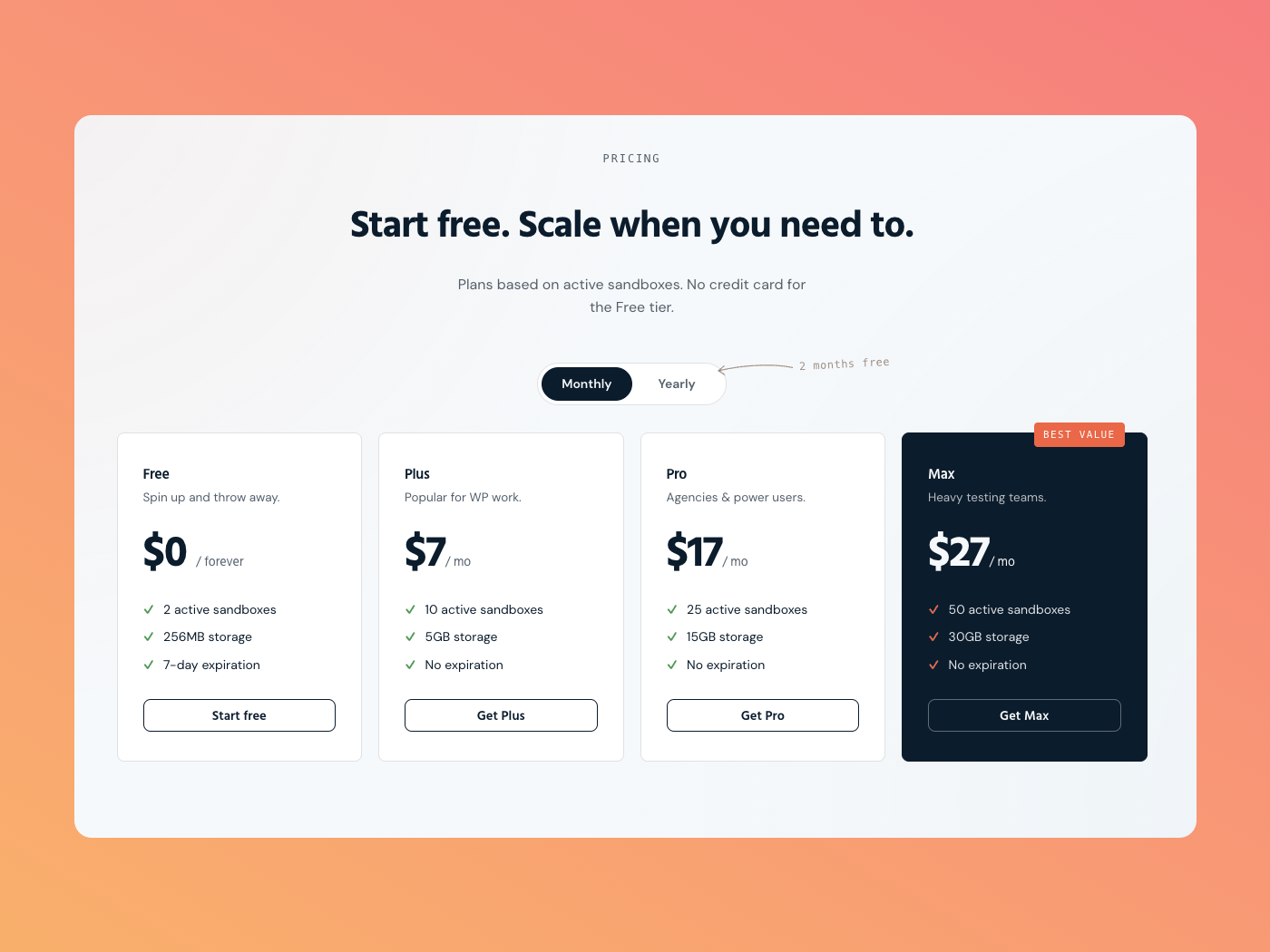
| Plan | Price | Active sandboxes | Storage | Permanent sandboxes |
| ----------------- | -------: | ---------------: | ------: | ------------------- |
| Free | \$0 | 2 | 250 MB | No |
| Plus | \$7/mo | 10 | 5 GB | Yes |
| Pro | \$17/mo | 25 | 15 GB | Yes |
| Max | \$27/mo | 50 | 30 GB | Yes |
| Workspace Starter | \$49/mo | 70 | 70 GB | Yes |
| Workspace Agency | \$99/mo | 150 | 150 GB | Yes |
| Workspace Scale | \$199/mo | 350 | 350 GB | Yes |
Workspace Starter includes 10 seats, Agency includes 25, and Scale includes 60. Extra seats are $3 monthly or $30 yearly; billing remains owner-only.
Guests can run one sandbox at a time for seven hours. Create a free account to use the Free plan limits above.
## How limits are applied
Only running sandboxes count toward the active-sandbox limit; expired sandboxes do not. If you reach the limit, delete an active sandbox or choose a plan with more capacity.
Storage is measured across your sandboxes. Large uploads, clones, and new sandboxes can require an upgrade when they would exceed your allowance.
## Upgrade and check usage
Open the profile menu, then choose **Account** and **Billing**. Use **Choose a plan** to upgrade, or **Manage billing** to manage an existing subscription, payment method, and invoices.
## Plans at a glance
| Plan | Price | Active sandboxes | Storage | Permanent sandboxes |
| ----------------- | -------: | ---------------: | ------: | ------------------- |
| Free | \$0 | 2 | 250 MB | No |
| Plus | \$7/mo | 10 | 5 GB | Yes |
| Pro | \$17/mo | 25 | 15 GB | Yes |
| Max | \$27/mo | 50 | 30 GB | Yes |
| Workspace Starter | \$49/mo | 70 | 70 GB | Yes |
| Workspace Agency | \$99/mo | 150 | 150 GB | Yes |
| Workspace Scale | \$199/mo | 350 | 350 GB | Yes |
Workspace Starter includes 10 seats, Agency includes 25, and Scale includes 60. Extra seats are $3 monthly or $30 yearly; billing remains owner-only.
Guests can run one sandbox at a time for seven hours. Create a free account to use the Free plan limits above.
## How limits are applied
Only running sandboxes count toward the active-sandbox limit; expired sandboxes do not. If you reach the limit, delete an active sandbox or choose a plan with more capacity.
Storage is measured across your sandboxes. Large uploads, clones, and new sandboxes can require an upgrade when they would exceed your allowance.
## Upgrade and check usage
Open the profile menu, then choose **Account** and **Billing**. Use **Choose a plan** to upgrade, or **Manage billing** to manage an existing subscription, payment method, and invoices.
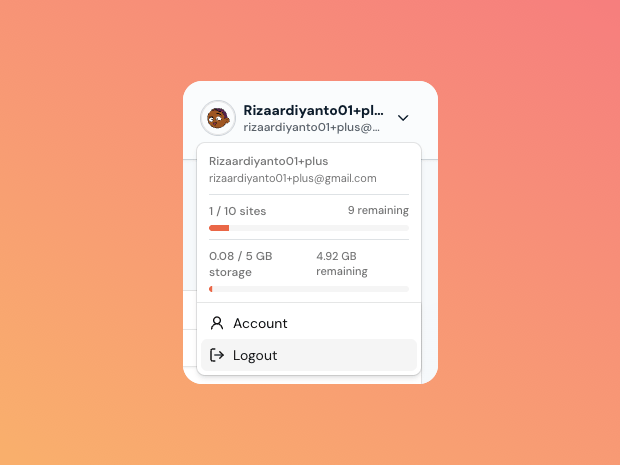 The profile menu shows your active-sandbox and storage usage. See [Lifespan and permanence](/guides/site-lifespan) for the permanent-sandbox workflow.