> ## Documentation Index
> Fetch the complete documentation index at: https://docs.sandywp.com/llms.txt
> Use this file to discover all available pages before exploring further.
# Templates
> Save a finished sandbox as a reusable snapshot and create new sandboxes from it.
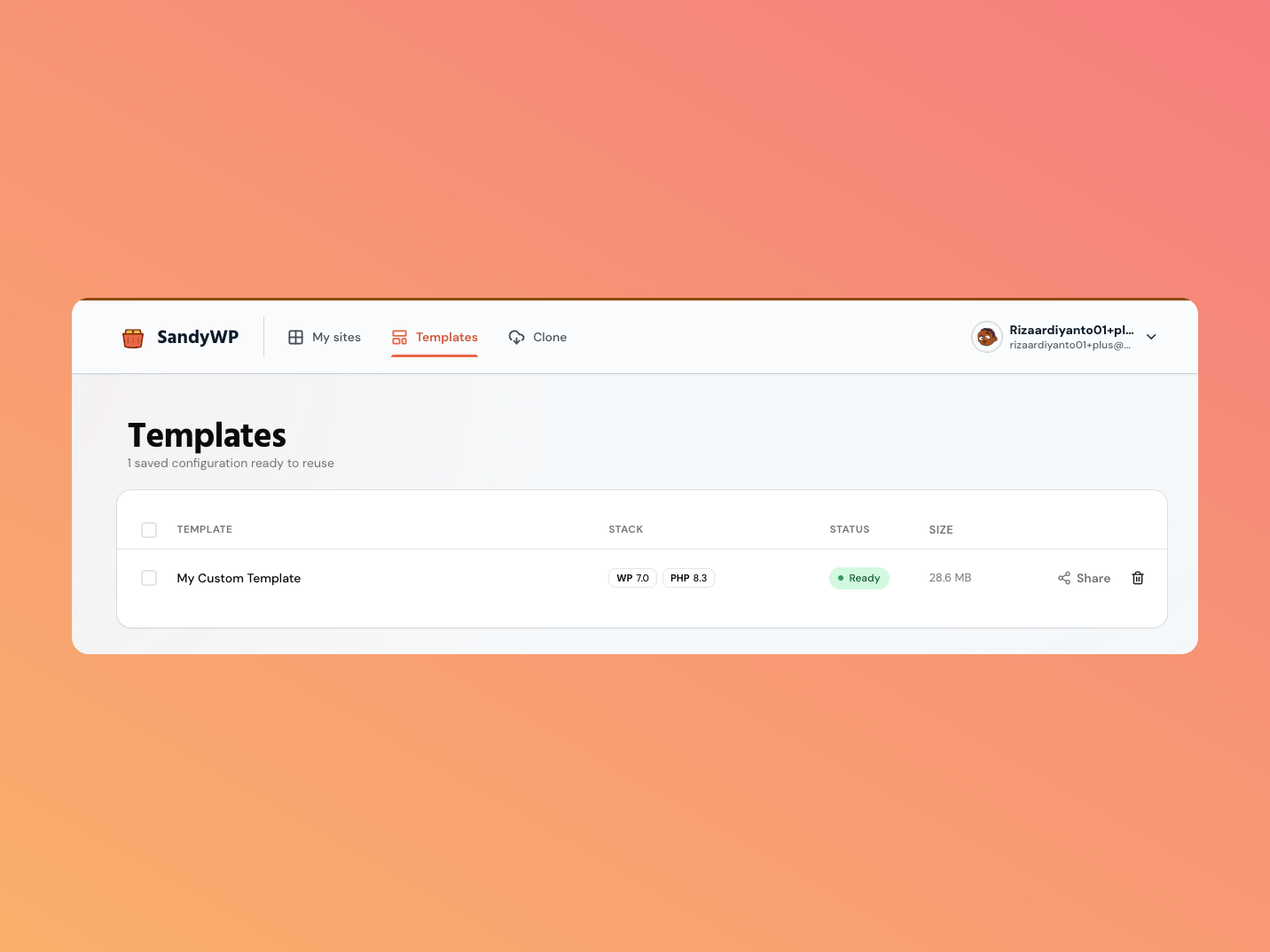
A Template captures a sandbox's WordPress and PHP versions, plugins, themes, files, settings, and database. Use one to launch repeatable sandboxes without recreating the setup each time.
 ## Save a sandbox as a template
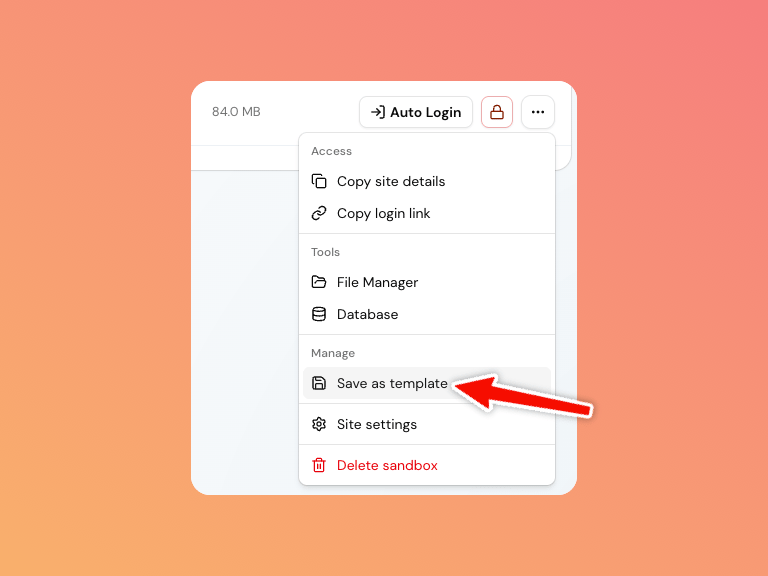 Open its **…** actions menu and select **Save as template**.
Provide a name and, optionally, a short description.
The status moves from `building` to `ready`. The source sandbox remains available while this happens.
## Create a sandbox from a template
Choose a Template in the create form, select **New sandbox** beside a ready template, or use the action offered after saving. A template locks the new sandbox to the snapshot's WordPress and PHP versions.
Templates have their own snapshot size, while [plan storage](/guides/plans) is measured against sandboxes. Delete an unwanted template from the Templates list; that removal cannot be undone.
## Public launch links
A ready template can offer a public launch link when the plan allows it. In **Share** settings, choose the sandbox-local destination visitors see after authentication, such as `/`, `/shop/`, or `/wp-admin/`.
Launch destinations must be relative paths beginning with `/`. SandyWP does not redirect a public launch link to an external URL.
Use a [Blueprint](/guides/blueprints) when the setup should remain editable JSON rather than a fixed snapshot.
Open its **…** actions menu and select **Save as template**.
Provide a name and, optionally, a short description.
The status moves from `building` to `ready`. The source sandbox remains available while this happens.
## Create a sandbox from a template
Choose a Template in the create form, select **New sandbox** beside a ready template, or use the action offered after saving. A template locks the new sandbox to the snapshot's WordPress and PHP versions.
Templates have their own snapshot size, while [plan storage](/guides/plans) is measured against sandboxes. Delete an unwanted template from the Templates list; that removal cannot be undone.
## Public launch links
A ready template can offer a public launch link when the plan allows it. In **Share** settings, choose the sandbox-local destination visitors see after authentication, such as `/`, `/shop/`, or `/wp-admin/`.
Launch destinations must be relative paths beginning with `/`. SandyWP does not redirect a public launch link to an external URL.
Use a [Blueprint](/guides/blueprints) when the setup should remain editable JSON rather than a fixed snapshot.