

https://app.sandywp.com/mcp. https://docs.sandywp.com/mcp is Mintlify docs search only.
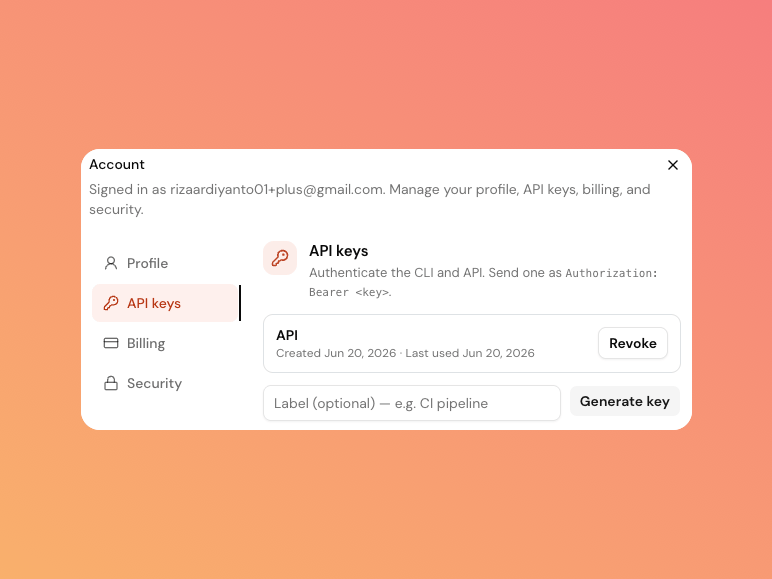
Create a key
1
Open API keys
Open the profile menu, select Account, and then choose the API keys tab.
2
Label and generate
Add an optional label such as
ci-pipeline, then select Generate key.3
Store it safely
Copy the key immediately. SandyWP shows the plaintext key once and cannot show it again later.
Revoke a key
Select Revoke next to a key in the API keys tab. It stops working immediately. The list shows the label, creation time, and last-used time. Create separate keys per environment so one key can be revoked without interrupting another workflow.MCP connections are different
An MCP client uses a browser-approved, scoped OAuth connection. Its token may callGET /api/account/me and the Imports family with the documented import:read or import:write scopes, but other generated REST operations do not accept it. See OAuth connector flow.
Use the CLI for common automation, or start with the API Reference overview when you need direct HTTP requests.