

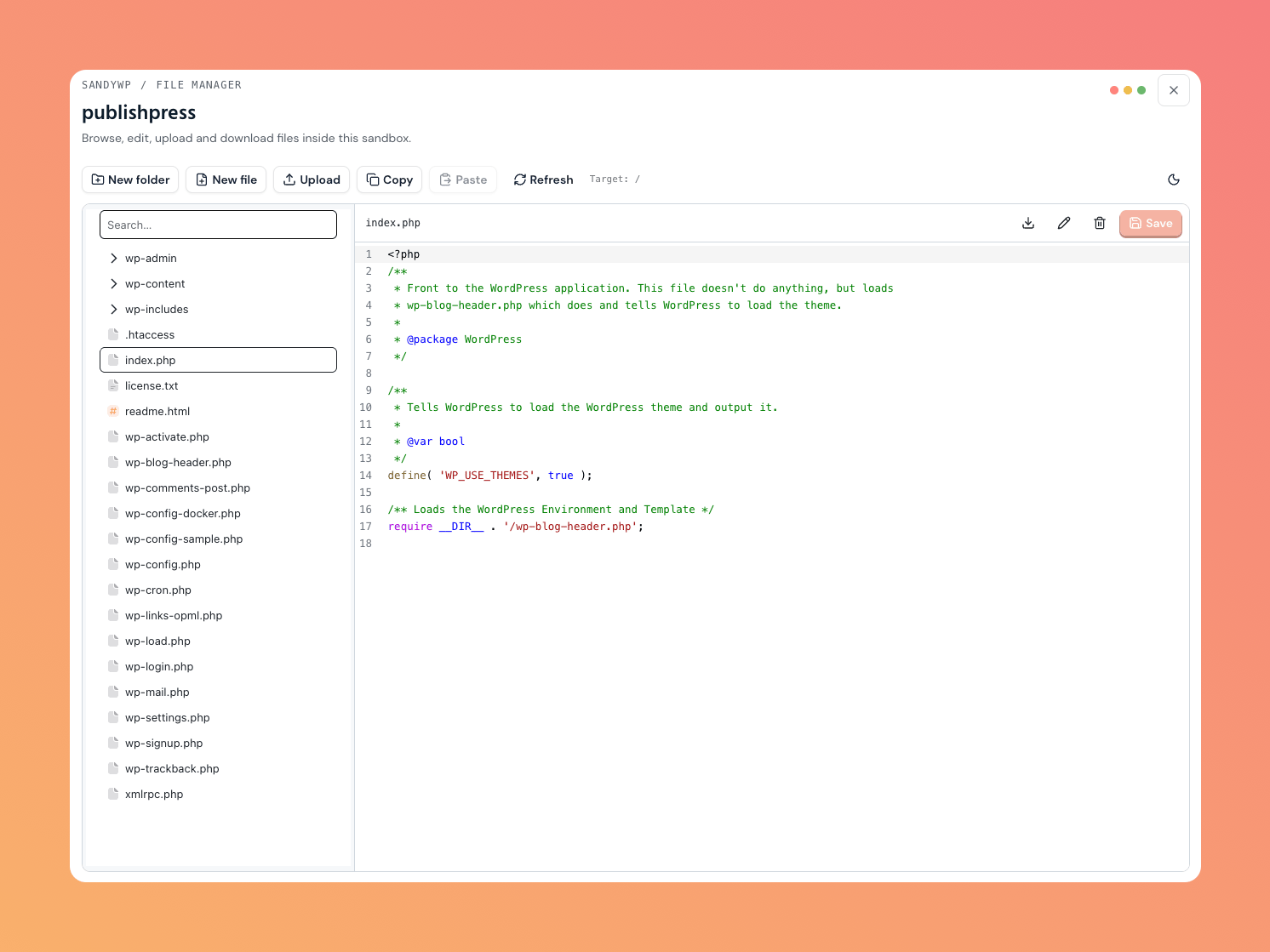
Open the File Manager
Open the sandbox row’s … actions menu and choose File Manager. The tool is available only while the sandbox isready.
Select a folder in the tree to expand it, or select a file to open it in the editor. Save changes explicitly after editing.
Manage files
Compress is folder-only, up to 256 MB (uncompressed) or 20,000 files. The archive is built in the sandbox, streamed to your browser, then deleted.
Protected SandyWP helper files are view-only. Binary files and files too large for the editor are download-only;
wp-config.php remains editable.
Notes
Very large sandboxes can have a truncated tree, and the tool will tell you when that happens. Uploaded files count toward your storage allowance. Use Git deployment when a plugin, theme, orwp-content folder should mirror a repository. Use Database when the change belongs in WordPress data rather than a file.